🗑 Deleted InvoicesLast 25 kept · synced across all devices · oldest auto-removed
📋
You have draft invoices to review
Click to view and send them
View Drafts →
Awaiting payment
$0
No invoices outstanding
Billed YTD
$0
All invoices issued this year
Paid this month
$0
Payments received
Open invoices
0
Awaiting decision or payment
!
— invoices need your attention
0 selected
Estimates & Proposals
Create, send, and track quotes & proposals.
In play
$0
No estimates awaiting decision
Approved this month
$0
— estimates approved
Conversion rate
0%
Last 90 days
Avg time to decision
—
From sent to outcome
!
— estimates need your attention
Proposals
Proposal #
Title
Client
Date
Estimates
Status
Offerings
Your service catalog — the menu of things you sell. Pick from it when building estimates, proposals, or invoices.
Your service catalog
Catalog
0offerings
— categories
Avg ticket
$0/ service
Range — – —
Top seller (90d)
—
No bookings yet
Idle 90 days
0
No idle items
Proposal
Proposal details and tracking
Included Estimates
Recipients
Send the proposal and track delivery status per recipient.
New Invoice
Create and send a new invoice
Client & Job
Invoice Details
Auto-assigned. DRAFT-XXX until sent, then permanent INV number.
Line Items
DateDescriptionQtyFtInTotal FtRate ($)Total
Subtotal$0.00
Pass-through expenses$0.00
%$0.00
Prepayment
$
⚠ Prepayment is larger than this invoice's total — double-check the amount. Balance due will show $0.00.
Total$0.00
Balance Due$0.00
PDF, images, or documents. Max 10MB each.
Log Time
Clock in for the day, log hours after the fact, or attach time to a work entry.
Viewing your own time
Good morning
—EST
or
Hours today
0:00
No active timer
Hours this week
0:00
5 days logged
Pay period
0:00
My Hours
Add Hours
Date
Hours
Pending Activities
Recent Entries
No recent entries.
Customers
Manage clients, contacts, and prospects.
Search & filters appear in each tab below
⏳ Pending Approvals 0
Previous Clients ▾
Total
0
New
0
Contacted
0
Converted
0
Calendar
Schedule and manage appointments.
May 2026
Sun
Mon
Tue
Wed
Thu
Fri
Sat
Today
This Week
Select a day to see details
Click any day on the calendar to view jobs and events scheduled for that date.
Receipts
Track expenses and materials. Drag a photo or forward email to log a new one.
!
— receipts need a WrkLog entry. Attach each to a WrkLog entry so it flows onto the right invoice.
This month$0
Pending review0
Logged to jobs0
YTD expenses$0
Top vendor—
All Receipts
Vendor
Job
Date
Amount
Category
Who
Status
Log Time
Clock in for the day, log hours after the fact, or attach time to a work entry.
Good morning
—EST
or
Hours today
0:00
No active timer
Hours this week
0:00
5 days logged
Pay period
0:00
My Hours
Add Hours
Date
Hours
Confirm hours for this period
⏳ Pending Activities
My Recent Entries
No recent entries. Tap the green button above to log your time.
Customers
Customers and job history.
Tap a job to view details, log work, and add photos.
WrkLog
Track jobs, hours, and materials.
Sort by
Subgroup
From date
To date
Sorted by subgroup — tap a group header to select all entries in it
0 entries selected
0 selected
Help & Settings
Account, integrations, and support
Nothing matches. Try another word, like "invoice", "payment", or "team".
🔒 SecurityNot enabled
Two-Factor Authentication
Protect your account with a one-time code from an authenticator app. Required for payment processing setup.
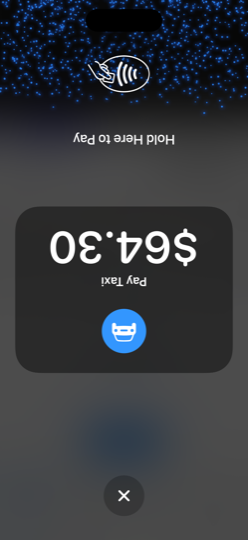
📱 Tap to Pay on iPhoneNot enabled
Accept cards by tapping on your iPhone
No card reader needed. Customers tap their contactless card, Apple Pay, or Google Pay directly on your iPhone. Available on iPhone XS and later running iOS 16.7 or higher.
Before you can enable Tap to Pay on iPhone:
Enable Tap to Pay on iPhone
Tap to Pay on iPhone is powered by Stripe. Standard Stripe rates apply (2.9% + 30¢ per transaction). WrkOrdr charges no additional platform fee.
By enabling Tap to Pay on iPhone, you confirm that you have read and agree to:
Apple's terms for Tap to Pay on iPhone, presented by Apple at first use
After you accept, Apple will display its own Tap to Pay on iPhone agreement the first time you initiate a payment on a new device. That agreement must be accepted before any transaction can complete.
💬 Send Feedback
Help us improve WrkOrdr — tell us what's working, what's not, or what you'd like to see next.
📥 Import Data
Switching from another tool? Import your clients, invoices, and time log. WrkOrdr detects duplicates by name, phone, and email before importing.
Import from CSV
Import from QuickBooks
Connect QuickBooks above to pull your existing data directly.
Import guides
QuickBooks: Reports → Export → Customers / Invoices FreshBooks: Clients → Export All / Invoices → Export Jobber: Clients → Export CSV / Invoices → Export Housecall Pro: Reporting → Export Customers HubSpot / Salesforce: Contacts → Export All Fields
Any CSV with a Name or Company column will work.
📅 Calendar SyncNot connected
🍎 Apple Calendar / iCal / Outlook
Export all scheduled work as an .ics file, or subscribe for live updates.
Subscribe (live sync)
Copy this URL, then in Apple Calendar: File → New Calendar Subscription → paste the URL.
Requires the calendar Cloud Function endpoint (coming soon).
🔵 Google Calendar
Connect Google Calendar to push your scheduled work as events. Syncs automatically when you schedule new work.
Auto-sync
Automatically push new/updated/deleted events to Google Calendar
On
Show Google Calendar events
Pull external events from Google Calendar and display on your WrkOrdr calendar
Off
🗓 Online Booking
Share a booking link so clients can schedule appointments based on your availability. Bookings appear on your calendar automatically.
Your booking link
Availability
Available days
Start time
End time
Slot duration
Buffer between appointments
How far ahead can clients book?
Clients can choose weekly, biweekly, or monthly recurring schedules in the booking flow.
Incoming Bookings
Slack NotificationsNot connected
Get notified in Slack when invoices are paid, new clients sign up, bookings come in, or feedback is submitted.
Setup: In Slack, go to Apps → Incoming Webhooks → Add to Slack, choose a channel, and paste the webhook URL above.
📦 Export Your Data
Your business data belongs to you — full stop. We will never sell, share, or monetize your client list, financials, or work history.
Everything in WrkOrdr exports as a standard CSV at any time, no questions asked — and with direct integrations into QuickBooks, Google Calendar, Apple Calendar, and Shopify, your data flows seamlessly into the tools you already rely on.
QuickBooks OnlineConnected
Connect QuickBooks Online to automatically sync invoices, payments, customers, and expenses. No more manual data entry.
Connected to: —
Auto-Sync Settings
Last sync: Never
🌐 Language
Choose the app's display language. Your data is not translated — only menus, buttons, and labels.
App Tutorial
New to WrkOrdr? Take a quick tour or the full walkthrough.
⭐ Inner Circle — Referral Program
Earn account credit — share WrkOrdr
Available to the first 100 members. When a business you refer signs up, you earn account credit applied directly to your next bill.
$20
account credit monthly referral
$120
account credit annual referral
————
0
Invites sent
0
Joined
$0
Credit earned
👥 Invite Team Members
Share a join link or send an email invitation — the join code is automatically included so employees can register in one tap.
Join Code
— — — —
Invite Link
Loading...
Anyone with this link is taken straight to the registration screen with your code pre-filled.
Send Email Invitation
Team Members
No employees have joined yet.
Default Permissions for New Employees
New employees who join your company will get these permissions by default. You can customize each employee's permissions individually.
Saved
Time Off
Manage employee PTO, sick days, and time-off requests. Set policies per employee and approve or deny requests.
Company Info
Running in demo mode
% — auto-fills on new invoices & estimates
Pre-fills when generating invoices from work log. Customer-specific rates override this.
Logged time rounds up to this increment. Layout default: 6 min for Professional Services, 15 min for everything else.
✓ Saved
📬 Invoice Follow-Up Reminders
Set the thresholds for your two follow-up reminder emails. When an invoice has been outstanding for at least this many days, a follow-up button appears on that invoice.
First Reminder
days outstanding
Friendly reminder tone
Second Reminder
days outstanding
Firm overdue notice
✓ Saved
🔧 Layout Switcher (Admin)
Switch layouts to test all 5 configurations. Changes are visual only — your data stays the same.
👤 My Profile
?
—
Employee
—
Email changes require a reset link sent to your current address.
✓ Saved
Account
Running in demo mode
Data Management
Clear your company data to free up space without losing your account, or permanently delete your account and all associated data. Privacy Policy →
🔒 App Lock
Require Face ID to open WrkOrdr
Locks the app when opened or after a minute in the background. Your device passcode works as a backup. This setting applies to this device only.
Push Notifications
Enable push notifications
Enable push notifications to get alerts even when WrkOrdr is in the background.
You'll receive notifications for new work orders, booking requests, invoice payments, and team activity — even when this tab is closed.
Invoice Reminders
Notify me about unpaid invoices
Get a daily reminder when you have invoices outstanding for more than 7 days.
Includes both push notifications and in-app reminders on your dashboard.
Payroll Reminder
Weekly payroll reminder
Get reminded to review and update payroll before processing.
Remind on:
Auto Clock-In
Location-based clock in/out
Get prompted to clock in/out when arriving at or leaving a job site
Billing & Plan
Free Trial
14-day free trial
Active
Choose a Plan
Start
$250/yr
1 user (just you). Everything you need to get started.
Run Popular
$500/yr
3 users (owner + 2). Built for small teams.
Grow
$1000/yr
4 users included (owner + 3). Built for growing teams.
44 included
Lunch Break Settings
Automatically deduct lunch time when employees log 8+ continuous hours. Employees can toggle this per entry.
Saved Materials
Save materials you use often. They'll appear as quick-add options when logging work.
Love WrkOrdr? Tell others
An honest public review on G2 takes 2 minutes and helps other service business owners find us.
G2 is the largest independent software review site.
Disclaimer: WrkOrdr is not a legal, financial, or tax advisory service. This guide provides general information only. Always consult a licensed attorney, accountant, or financial advisor for advice specific to your situation and jurisdiction.
A step-by-step guide to setting up and running your service business. Check off each step as you go — your progress is saved automatically.
Form Your Business
Decide between a Sole Proprietorship (simplest, no filing needed) and an LLC (protects personal assets, looks more professional). Most service businesses start as an LLC.
To form an LLC:
1. Pick a business name and check availability on your state's website
2. File Articles of Organization with your state ($50–$500 depending on state)
3. Get an Operating Agreement (even if you're the only member)
4. Register for state taxes if required
An EIN is like a Social Security number for your business. You need it to open a business bank account, hire employees, and file taxes. It's free and takes about 5 minutes online.
Keep business money separate from personal. This makes taxes simpler, looks professional, and protects your LLC status. Most banks offer free business checking — bring your EIN and LLC documents.
Tip: When you connect Stripe for payments, funds deposit directly to this account.
Get Business Insurance
General Liability Insurance protects you if a client or third party claims property damage or injury related to your work. Many clients and contracts require it. Costs typically $30–$80/month for service businesses.
Also consider: Professional Liability (errors & omissions), Workers' Comp (if you have employees), Commercial Auto (if you use a vehicle for work).
Set Your Rates
WrkOrdr helps with this
Research what competitors charge in your area. Factor in your costs (materials, insurance, gas, taxes) and desired profit margin. A common formula: (hourly cost × 1.5) + materials markup.
In WrkOrdr: Set rates per client or per invoice. The professional layout supports per-client billing rates. Use the P&L report to see if your rates are actually profitable.
Track Your Time
WrkOrdr handles this
Tracking hours is how you know what to bill, who's productive, and where your time goes. Studies show service businesses lose 10–20% of billable hours to poor tracking.
In WrkOrdr: Log work from the Work Log tab with exact times, periods, or hours. Use My Time to clock in/out. The Time Log shows totals by week, month, or year across your whole team.
Invoice Your Clients
WrkOrdr handles this
Send professional invoices after completing work. Include your business name, client info, line items with descriptions, and payment terms (Net 15 or Net 30 is standard).
In WrkOrdr: Create invoices from work log entries (labor + materials pre-fill) or from scratch. Preview the PDF, email it directly, and track status. Automatic follow-up reminders for unpaid invoices.
Accept Payments Online
WrkOrdr handles this
Let clients pay by credit card or bank transfer directly from your invoices. Getting paid faster means better cash flow. 87% of businesses report invoices are paid late — online payment links reduce that dramatically.
In WrkOrdr: Connect Stripe on the Payments page. Your invoices automatically include a "Pay Now" link. Funds deposit to your business bank account. 2.9% + 30¢ per transaction (standard Stripe rates).
Track Expenses & Materials
WrkOrdr handles this
Every receipt and material purchase is a tax deduction. Photograph receipts immediately — paper fades fast. Log materials with item, quantity, and cost so you can bill clients accurately and deduct what's not billed.
In WrkOrdr: Add materials when logging work entries. Photograph receipts from your phone. The Receipts tab tracks everything. Materials pre-fill into invoices, and the P&L report summarizes expenses for tax time.
Manage Your Team
WrkOrdr handles this
As you grow, you'll need employees or subcontractors logging their own time and viewing their assignments. Set clear roles — who can see invoices, who can only log time.
In WrkOrdr: Invite team members from Help & Settings. They get their own login with role-based access: Owner (full access), Employee (time log + jobs + calendar), Client (booking + invoices). Share a join link or send an email invite.
Schedule Your Work
WrkOrdr handles this
A clear schedule prevents double-booking, missed appointments, and wasted travel time. Share your calendar with your team so everyone knows what's coming.
In WrkOrdr: The Calendar shows all scheduled work with period bands (Morning, Midday, Evening). Schedule work from the Work Log. Export to Apple Calendar or sync with Google Calendar. Clients can book directly through your public profile.
Build Your Client Base
WrkOrdr handles this
Word of mouth is king for service businesses. Make it easy for happy clients to find you, book you, and review you. A professional online presence builds trust before you even show up.
In WrkOrdr: Create a public profile with your services, pricing, and availability. Clients can book directly and leave star ratings. Send review requests after completing work. Share your WrkOrdr URL anywhere.
Prepare for Taxes
WrkOrdr helps with this
As a business owner, you're responsible for quarterly estimated tax payments (federal + state). A common rule: set aside 25–30% of every payment you receive in a separate savings account for taxes.
Key dates: Quarterly estimates due Apr 15, Jun 15, Sep 15, Jan 15. What you need: Total income, total expenses, mileage log, receipt records.
In WrkOrdr: Export your invoices, expenses, and time log as CSV files. Run P&L reports for any date range. Sync with QuickBooks for automated bookkeeping. Hand your accountant clean data.
This guide covers the basics. Every business is different — consult a local accountant or attorney for advice specific to your situation and state.
Banking
Record checks and cash payments, and reconcile against your bank via Plaid.
Cleared this period
$0.00
No payments yet
Awaiting deposit
$0.00
0 payments in transit
Avg days to clear
—
No data yet
Stripe revenue
$0
Connect Stripe to accept cards
Bank Reconciliation
Connect your bank account to automatically match deposits against payments
Payments
Your WrkOrdr merchant account — balance, payouts, disputes, and tax documents.
💳
Set up payments to get paid by card
Connect your WrkOrdr account to Stripe to accept cards, ACH, and Apple Pay on invoices. Funds settle to your bank in 2 business days. Standard Stripe rates apply, no markup from WrkOrdr.
Loading your payments dashboard…
Couldn't load the payments dashboard
Tap to Pay on iPhone
Take a card payment in person
Right from this phone.
No reader. No app switch.
iOS 16.7+ · iPhone XS or newer
Stripe Account balance
Balance & payout schedule
Live balance, available-to-pay-out, and daily payout schedule from your connected Stripe account.
Respond with evidence directly here. Disputes you don't respond to by the due date are lost automatically.
Stripe Tax documents
1099-K and annual statements
Forms appear in late January for the prior tax year, once Stripe finalizes them.
Plan & Billing
Manage your subscription
Current Plan
Free Trial
14-day free trial
3
seats on Start plan
1 of 3 used
Trial14 days left
Save 17%
Start
For solopreneurs
$25/mo
or $20/mo with INNERCIRCLE
✓ 1 user (owner)
✓ Up to 3 businesses
✓ All core features
✓ 76+ profession templates
✓ Email support
Most Popular
Run
For small teams
$50/mo
or $40/mo with INNERCIRCLE
✓ Everything in Start
✓ 3 users included (owner + 2), fixed
✓ Up to 3 businesses
Need more than 3 users? Upgrade to Grow
Grow
For growing teams
$100/mo
or $80/mo with INNERCIRCLE
4seats4 included
✓ Everything in Run
✓ 4 users included (owner + 3)
✓ Add users at $25/user/mo, only plan with add-ons
☂
Built for seasonal businesses
Landscapers, pool cleaners, snow removal, holiday lighting — your demand fluctuates and your software costs should too. WrkOrdr is month-to-month with no contracts and no lock-in. Only pay for the months you work. Cancel anytime, come back anytime — your data is always here.
Additional Users (Grow Plan Only)
Add extra users beyond the 4 included in the Grow plan. $20/user/mo ($200/user/yr) Inner Circle or $25/user/mo standard. Start and Run have fixed user counts.
Billing Breakdown
Your Businesses
Each business has its own plan and 14-day trial. Switch between businesses to manage their subscriptions.
Share this link with clients so they can view your profile, book services, and leave reviews. The QR code works great on business cards, invoices, and your truck.
⭐ Reviews & RatingPrivate
Profile Content
Drag to reposition
🖼
Upload a banner image
Recommended: 1200 × 400 px (3:1 ratio). Images are displayed full-width on your public profile.
getwrkordr.com/p/
Lowercase letters, numbers, and hyphens only.
Services & Pricing
Hours of Operation
Leave blank to hide the hours section on your public profile entirely.
Online Booking
Let customers book appointments directly from your public profile. Configure event types, slot duration, and buffer time below.
You can dispute any review you believe is inaccurate or violates our guidelines. Disputed reviews are excluded from your average while under review.
No reviews yet.
Analytics
Revenue, time, and client trends — last 6 months unless filtered.
Revenue · YTD
$0
—
Outstanding
$0
—
Avg invoice
$0
—
Revenue trend
Monthly billed · cleared payments
Costs & margin
year to date
Costs · YTD
$0
—
Gross profit · YTD
$0
—
Expenses this month
$0
—
Where the money goes
YTD · labor = employee payroll only
Sales tax collected
from paid invoices · owed to the state, not revenue
Collected · YTD
$0
—
This quarter
$0
—
Last year
$0
—
By quarter
—
Time tracking
—
This week
0
—
Avg per job
0
—
Busiest day
—
—
Hours by team member
last 30 days
When work happens
last 6 weeks · cells show daily hours
Top clients · YTD
—
Insights
auto-generated · click any card to act
Payroll
Review hours and approve reports
Raise & Overtime Simulator
Payroll Approval
Automated Payroll Report
Automatically email your payroll report to your payroll provider on schedule. No more phone calls.
📋 Export & Integration Options
Compatible with Gusto, ADP, and QuickBooks Payroll. Gross pay only — use your payroll provider for tax withholding.
Equipment & Inventory
Track vehicles, tools, and supplies.
0 assets0 active0 in shop0 maintenance due$0 upkeep this quarterLast sync —
Map
0 of 0 mapped
Request Time Off
PTO Policy
🗑 Clear Company Data
This will permanently delete all your clients, time entries, invoices, receipts, and scheduled work. Your account and company profile stay intact.
⚠️ This cannot be undone. Export your data first.
Delete Account
This permanently deletes your account, company profile, and all data including clients, invoices, time entries, receipts, and scheduled work. This cannot be undone.
We recommend exporting your data before deleting your account. Once deleted, your data cannot be recovered.
✓ Recent backup found. You may proceed.
You chose not to export your data. All data will be permanently lost.
Add Prospect
Group Access
Choose which employees can see clients in .
New Group
Record Payment
New Contact
Move to Group
Change the group for .
Mark as Sent?
for is still .
If you're printing to send to the customer, mark it sent so it appears in your sent invoices and follow-ups can fire on time. Otherwise just print for your records.
Add to Work Group
0 entries selected.
Pick a name customers and your team will recognize.
New Work Group
A group lets you bundle related work log entries so you can invoice them together later.
Import Clients
Upload a CSV exported from QuickBooks, Jobber, FreshBooks, or any tool. WrkOrdr will detect the columns automatically.
📂
Drop CSV file here or tap to browse
Supports CSV from QuickBooks, Jobber, FreshBooks, Housecall Pro, HubSpot, Salesforce, and generic exports
Map your CSV columns to WrkOrdr fields. Required fields are marked with *.
✅
Log Time
New Customer
Log Work Done
ItemQtySizeUnit CostTotal
Materials total: $0.00
Time
Start
End
Total
—
People & Hours
Equipment Used
Services
Visit Checklist
Visit Documentation
📷 Before Photos
📷
Add before photos
✅ After Photos
✅
Add after photos
🧾 Receipts (optional)
📄
Scan receipt — click or use camera
Schedule Work
New Task
Add Receipt
Total: $0.00
Reading receipt with AI...
Receipt Details
This receipt is from a work log entry. Edit it from the work log.
Total: $0.00
New Customer
Comma-separated. Use tags to organize and filter clients.
Group customers together by location, property manager, etc.
Automatically generates scheduled work on the calendar.
Invoices and estimates emailed to this customer will be auto-translated into this language.
Extra people at this customer — e.g., office manager, billing contact, on-site supervisor.
Edit Logged Work
Time
Start
End
Total
—
People & Hours
Equipment Used
Services
Visit Documentation
📷 Before Photos
📷
Add before photo
✅ After Photos
✅
Add after photo
🧾 Receipts
Add New Receipt
📄
Scan receipt photo
Materials
ItemQtySizeUnit CostTotal
Materials total: $0.00
Attach Existing Receipt
Pick a receipt from your Receipts tab to attach to this work entry.
Edit Scheduled Work
Notifications
No notifications yet
Reminders
Remind me in:or at 6PM / clock-out
No reminders yet. Type a quick note above.
Clear completed
🔔
Stay in the loop
Get notified about new work orders, bookings, and payments — even when WrkOrdr is in the background.
Signed in
↩
Sign Out
✉
Change Email
🌙
Dark Mode
Font Size
Analytics
💼
Payroll
Your Businesses
Switch Layout
WrkOrdr
Cloud sync setup
Connect to Firebase
Paste your Firebase project config below to enable real-time sync between devices. Your data stays in your own Google account.
1
Go to console.firebase.google.com and create a project called "WrkOrdr"
2
Enable Firestore, Authentication (Email/Password), and Storage
3
Go to Project Settings → Your apps → Add Web App → copy the firebaseConfig object